We are currently experiencing an issue with builder created templates in SalesXpress 2025.6.00
Due to the Syncfusion update introduced in 2025.6.00, merge field tags are presenting on merged documents. Tags such as Sales Agent Signature or Radio boxes present the merge results as well as the merge tag.
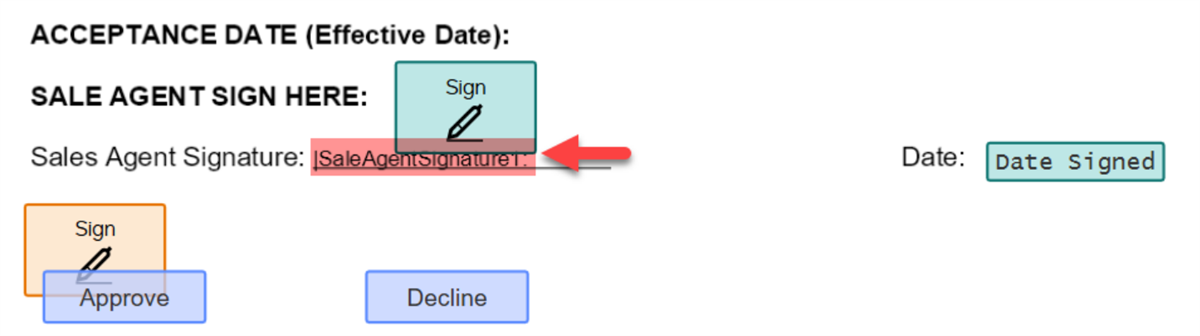
Our development team is actively collaborating with Syncfusion to resolve this issue. In the interim, all builder templates will have to be opened up in Editor and saved to reset the tags to the new Syncfusion code.
After updating to 2025.6.00, the following temporary workaround has been provided:
Navigate to Templates
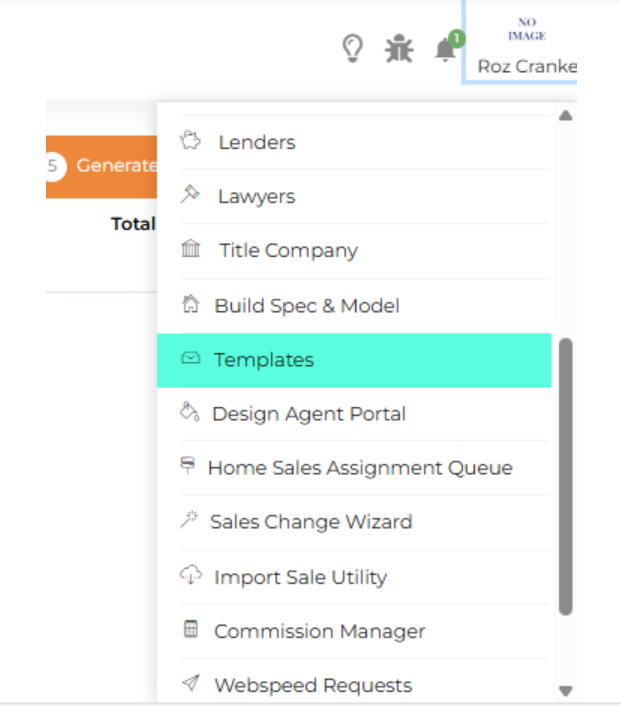
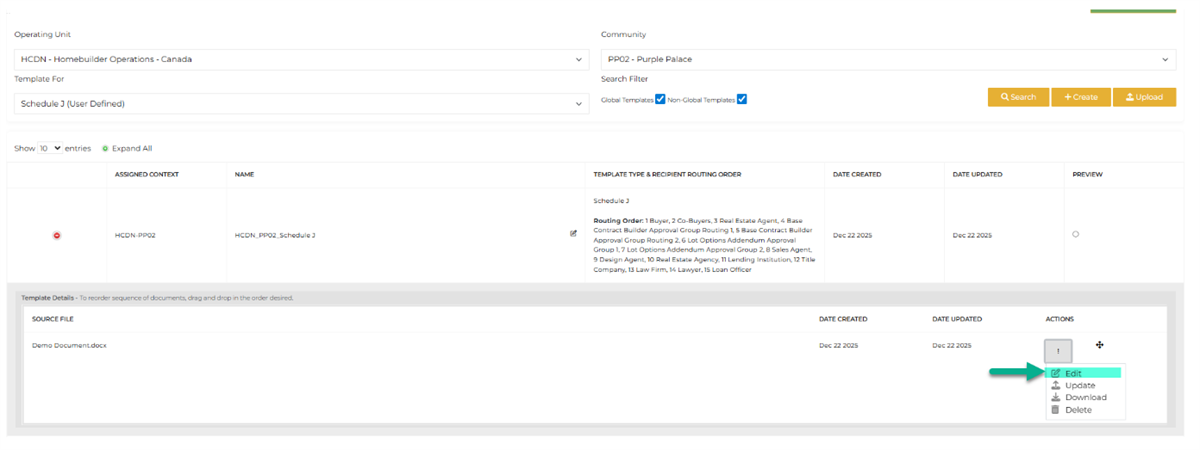
Expand the builder template, select the Actions and choose Edit:
Select Save to Server:

*Some merge fields will remain broken with this workaround. These merge fields will need to be deleted and re-added.*
Please contact Customer Care at 1-800-411-2020 or email us Care@ConstellationHB.com if you require further assistance.